
Home / Industries / HVAC / HVAC website design
HVAC website design

HVAC website design for no-heat nights and new-system quotes

An HVAC website serves two very different visitors: the homeowner in a freezing house who needs someone now, and the one comparing quotes for a new system. I design HVAC websites so both find what they need in seconds, on a phone.

$397, free preview firstClick-to-call on every screenLive in about 7 days
The template

An HVAC website, section by section

If you're building an HVAC website yourself or briefing a designer, this is the structure I'd use. It's also what you get from me.

  1. Top bar: phone and hoursTap-to-call number visible at all times, plus emergency availability stated honestly ("24/7" only if you truly answer).
  2. Hero: what, where, how fast"Heating & cooling repair in [your area]. Same-day appointments most weekdays." Two buttons: call now, book online.
  3. Services split by urgencyRepair (AC, furnace, heat pump) and replacement/installation as separate paths, each with its own page.
  4. Trust stripLicense number, insurance, brands you install, Google rating, years in business.
  5. Financing and maintenance plansReplacement buyers look for monthly payment options; maintenance plans bring repeat revenue.
  6. Service areaThe towns you really cover, matching your Google Business Profile.
  7. FAQ and bookingReal questions: diagnostic fees, response times, what brands you service, then a short booking form.
Emergency vs planned

Two visitors, two pages

Emergency repair page

  • Phone number huge and first
  • "What to check before you call" tips (breaker, thermostat, filter)
  • Diagnostic fee stated if you charge one
  • Minimal reading, fast loading

Replacement / install page

  • Systems and brands you install
  • How a quote visit works
  • Financing and rebate information you can stand behind
  • Quote form with home size and system age

These are also the pages your ads should land on. See HVAC PPC & Google Ads.

Common problems

Why HVAC sites lose calls

1
Phone number buriedHidden in the footer or shown as an image that can't be tapped.
2
Stock photosSmiling models instead of your techs and vans. Homeowners want to see who's coming.
3
One "Services" page for everythingGoogle and visitors can't tell you do heat pump installs.
4
Slow on mobileBig sliders and video backgrounds. A homeowner sweating in a hot house won't wait.

Your HVAC website includes

  • Custom design in your colours with your photos
  • Repair and replacement paths, service pages
  • Click-to-call, booking and financing links
  • Service area section matched to your Google profile
  • SEO basics, structured data, Search Console
  • Free bonuses: Google profile setup, review kit, Facebook ads account setup, 30 days of edits
Price$397 one-time
Extra pages$49 each
Example

A trades website built this way

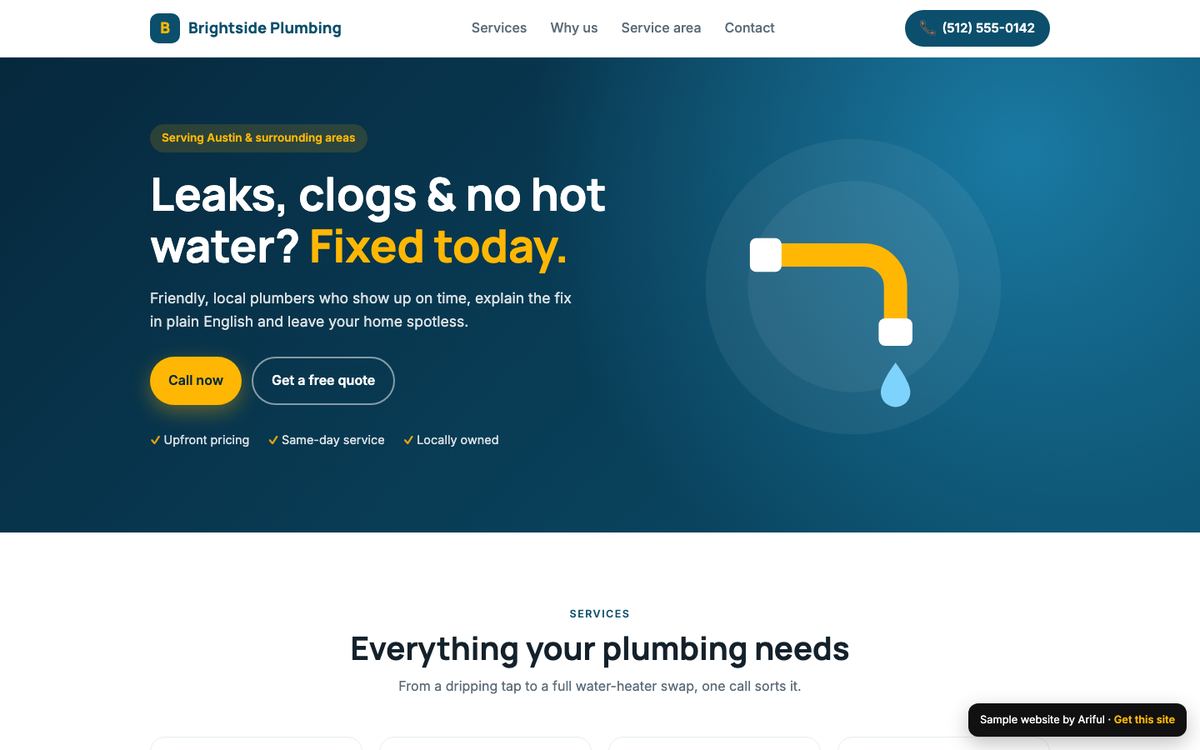
Brightside is a concept site for a fictional plumbing company, built with the same call-first layout I use for HVAC. Open it on your phone and try the buttons.

Brightside Plumbing website design
Concept build ยท Plumbing ยท Austin, TX

Brightside Plumbing

A trades business that needed calls, not compliments.

  • Click-to-call in the header
  • Services and areas served
  • Free-quote button on every screen
View live site โ†’
Photos

A simple shot list for HVAC companies

Real photos do more for an HVAC website than any design trick. Here's what to capture on your phone over a couple of weeks.

People and vehicles

  • Each tech, in uniform, smiling, in good light
  • Your vans or trucks with the logo visible
  • The office or shop team

Work

  • A clean new install, wide and close-up
  • Before and after of a replacement
  • A tech explaining something to a homeowner (with permission)

Until you have your own photos, I use carefully chosen stock images that fit, and swap them for yours as they come in. I'll also send you this list as a checklist so your team knows what to shoot.

FAQ

HVAC website questions

How much does an HVAC website cost?

With me, $397 one-time, including Google Business Profile setup and a review kit. Extra pages are $49 each. You see a working preview before paying anything.

Should I use an HVAC website template?

A template can work if you customize it with your real photos, services and service area. The structure on this page is a good checklist whichever route you choose.

What pages does an HVAC website need?

At minimum: home, AC repair, heating repair, installation or replacement, maintenance plans, service area, about and contact. More service pages help as you grow.

Can my HVAC website take bookings?

Yes. I can connect the scheduling or booking tool you already use, or set up a simple request form that goes to your email or phone.

Will the website help me rank on Google?

It's built with the technical basics Google needs and separate service pages. Rankings also depend on your Google Business Profile, reviews and competition, which is why profile setup is included.

See it before you pay

Get a free preview of your new website first. Then decide.