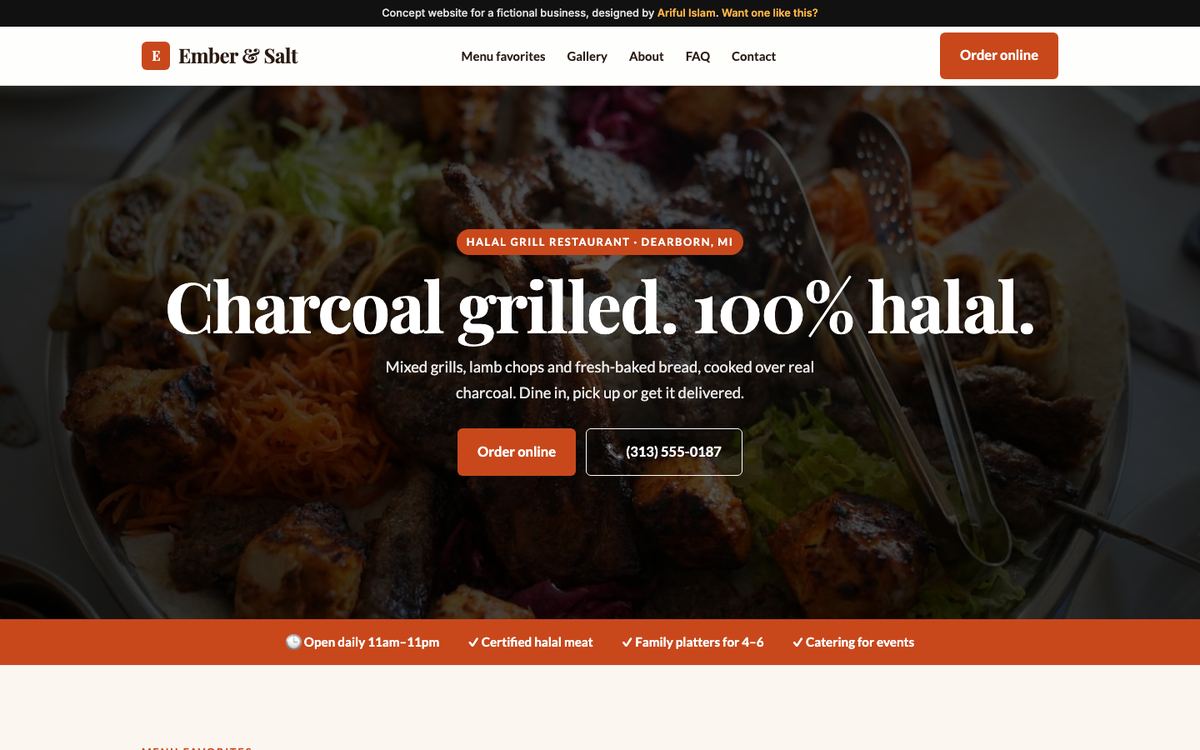
Restaurant: Ember & Salt Grill
The hero is the food and the menu. A readable text menu with prices beats a PDF on a phone, and reservation and order buttons sit at the top. Hours and directions are one tap away because hungry people decide quickly. More on this in Restaurants & cafes.
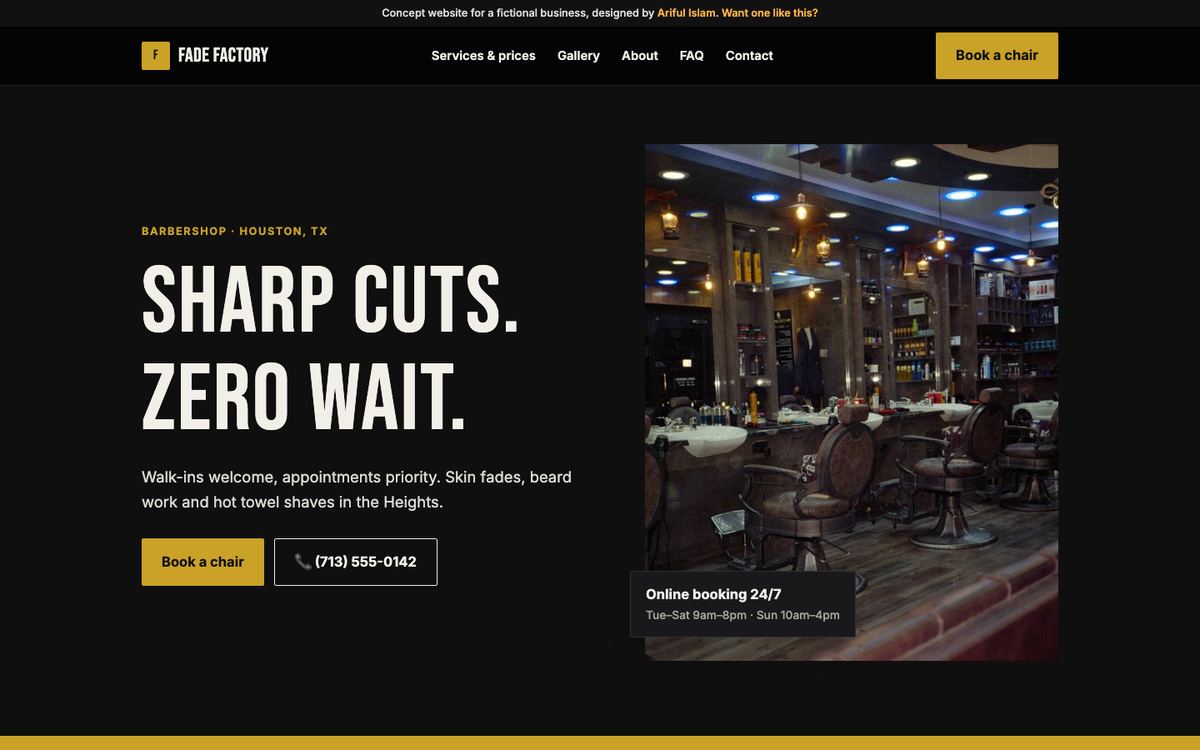
Barbershop: Fade Factory
Walk-in policy and wait expectations are answered up front, the price list is on the first screen, and a "book a chair" button repeats in every section. Barbers lose customers who can't tell whether they need an appointment. See Barbers & hair salons.
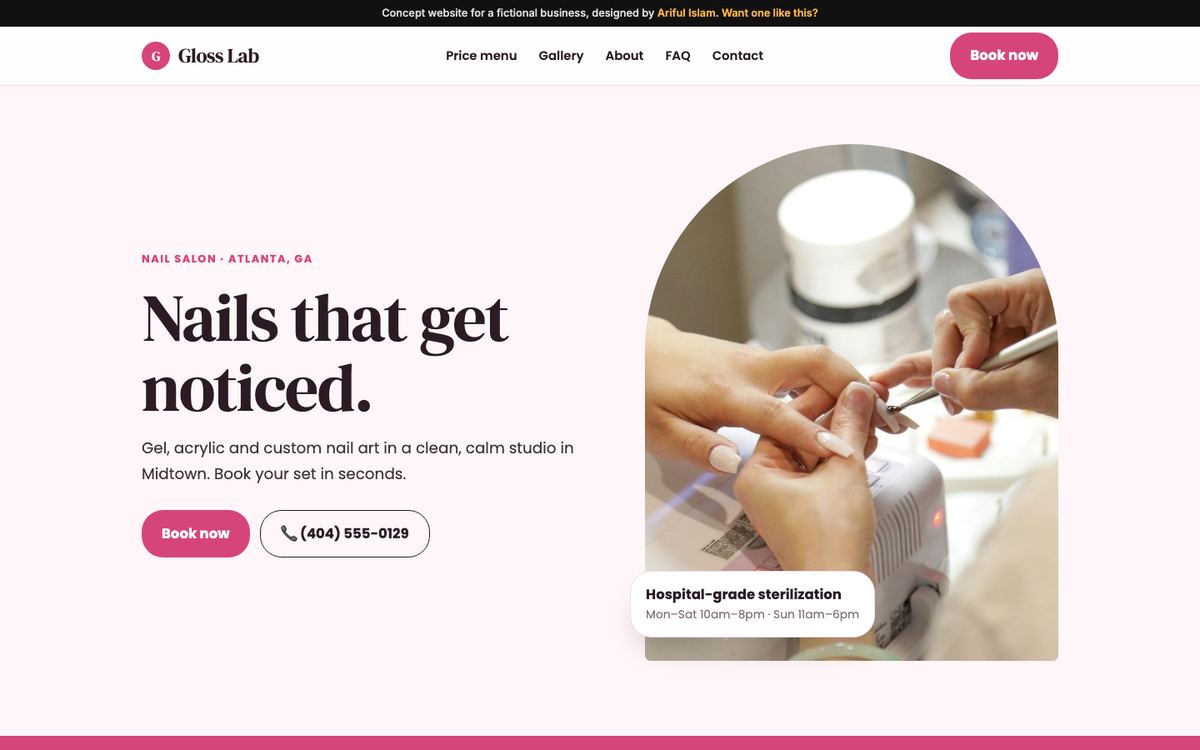
Nail salon: Gloss Lab
A full service menu with prices, and hygiene and sterilization explained near the top, because that's a real worry for new clients. Instagram-style galleries show finished work. See Nail salons & beauty.
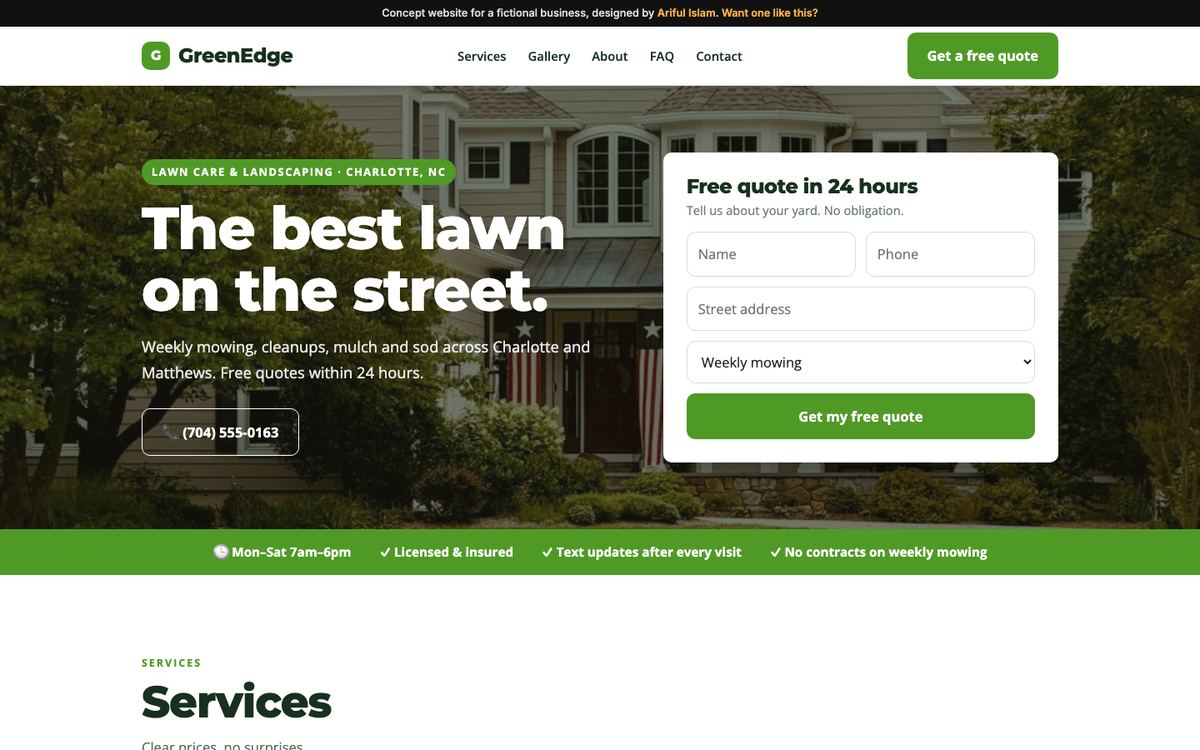
Landscaping: GreenEdge
Service areas are listed honestly, the quote form is short, and before-and-after project photos do the selling. Seasonal services are grouped so people find spring clean-ups or fall leaf removal fast. See Contractors & home services.
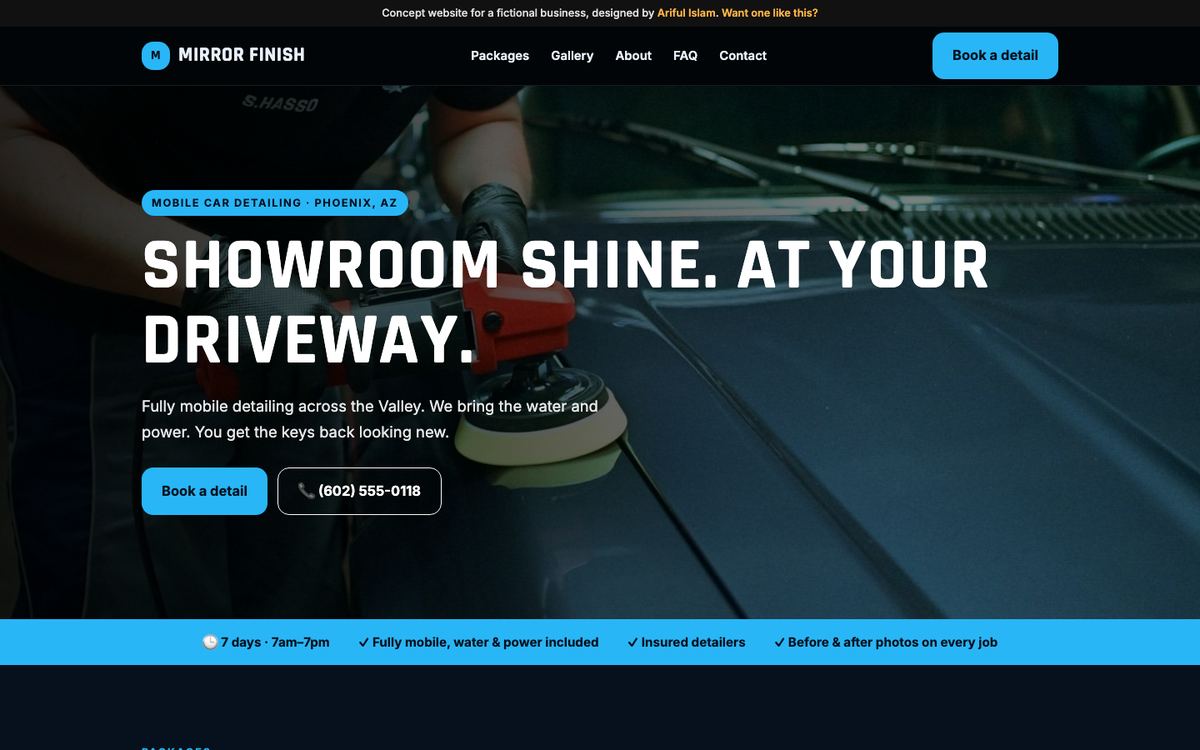
Mobile detailing: Mirror Finish
Packages are laid out like a price card with clear add-ons, and the booking flow asks for the vehicle type and location because the business comes to the customer. See Auto detailing.
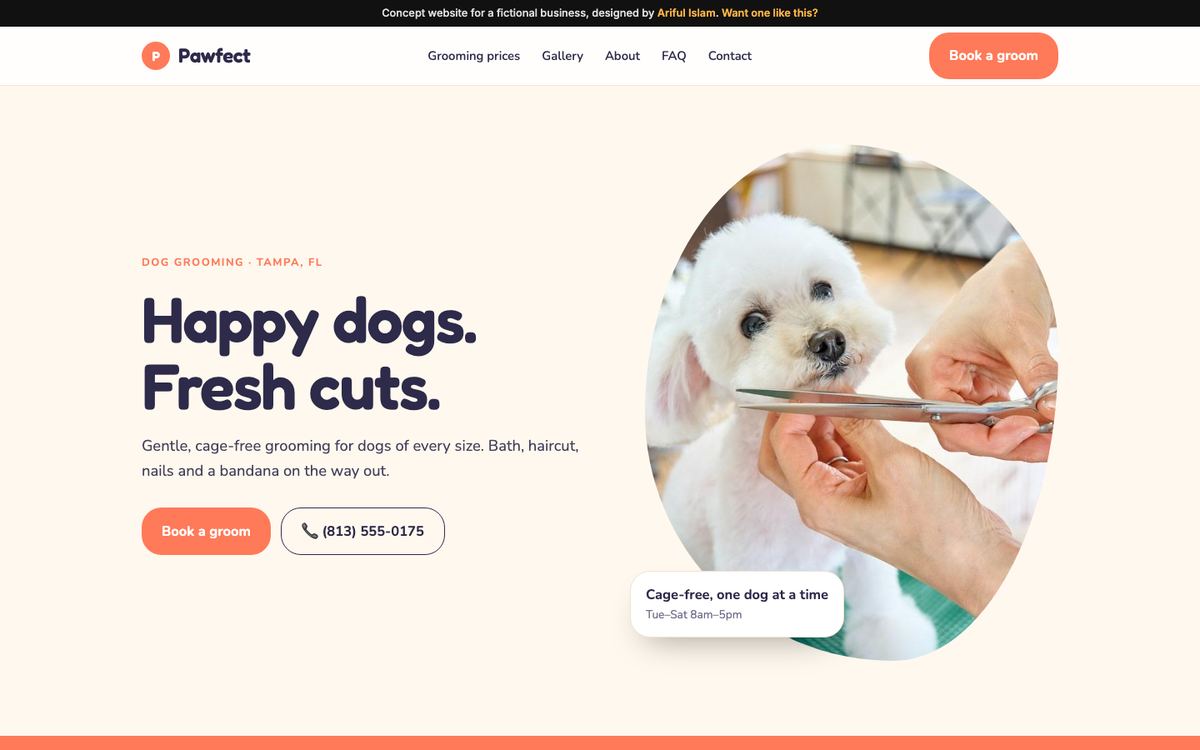
Pet grooming: Pawfect
Pricing by dog size, a gentle explanation of a first groom for nervous pets, and booking that collects the pet's details. Owners need reassurance more than flash. See Pet grooming.
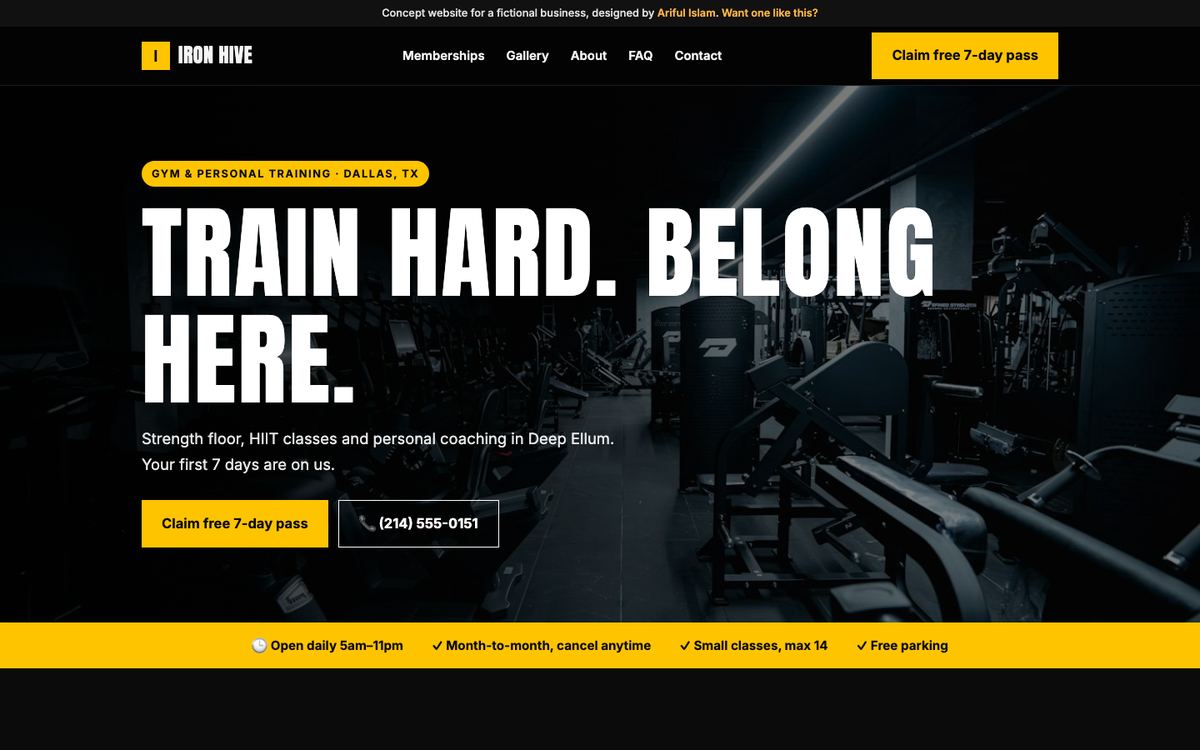
Gym: Iron Hive Fitness
One main call to action, a free 7-day pass, with the class schedule and membership options right after. Gyms win on making the first visit easy. See Gyms & fitness studios.
Side-by-side: the key feature per industry
| Industry | Main button | Must-have feature | Trust signal |
|---|
| Restaurant | Reserve / Order | Readable menu with prices | Recent food photos, rating |
| Barber / salon | Book | Price list + walk-in policy | Portfolio of cuts |
| Nail salon | Book | Service menu | Hygiene practices |
| Landscaping / trades | Get a quote | Service areas + short form | Before-and-after photos, insurance |
| Mobile detailing | Book | Packages and add-ons | Results photos |
| Pet grooming | Book | Size-based pricing | First-groom process |
| Gym / studio | Free trial | Schedule and memberships | Coach profiles |
Mistakes the examples avoid
- Slideshows at the top. They slow pages down and hide the message. One strong image works better.
- "Contact us for pricing." A range or "from $X" keeps people on the page.
- Tiny phone numbers. On a phone, the call button should be big and always reachable.
- Ten menu items. Fewer, clearer pages are easier to use and easier for Google to understand.
- Old, empty pages. A blog last updated years ago makes the business look closed.
Borrowing ideas is fine; copying isn't. Use examples for structure and features, then fill them with your own words, prices and photos. That's also what makes a site rank.
What to collect before you start
Whichever example you follow, a website comes together much faster when you have these ready:
- Your services and prices, or at least "from" prices, in a simple list.
- Opening hours and service area, exactly as they appear on your Google Business Profile.
- Your logo in the best quality you have; a phone photo of a sign works as a starting point.
- Ten to twenty real photos taken in daylight: the work, the team, the inside and outside of your place.
- Two or three real reviews you're happy to show, copied from Google or Facebook.
How to plan yours from these
- Pick the example closest to your business and decide your one main button.
- List your services with prices or ranges.
- Collect 10–20 real photos on your phone: work, team, place.
- Write down the five questions customers ask most; answer them on the site.
- Check it against Small business website checklist before launch.
If you'd like me to build it, my small business websites are $397 one-time, and you see a free working preview before paying anything.